 Stepling
Ring · Lock Screen
The circular one. Progress ring, step count, and nothing else.
Stepling is a calm, ad-free step counter for iPhone. Today's count, your week and your streak live on your Lock Screen and Home Screen, so you rarely need to open the app at all.
No account, no server, no cloud sync. Your steps are read from Apple Health, used on your phone, and sent nowhere. There is nothing to leak.
Stepling opens on your step count, not on a full-screen ad you have to close first. There is no ad network in the app at all.
Stepling is free to download, and it is not a subscription. No monthly bill, no trial that quietly starts charging, and no countdown timers.
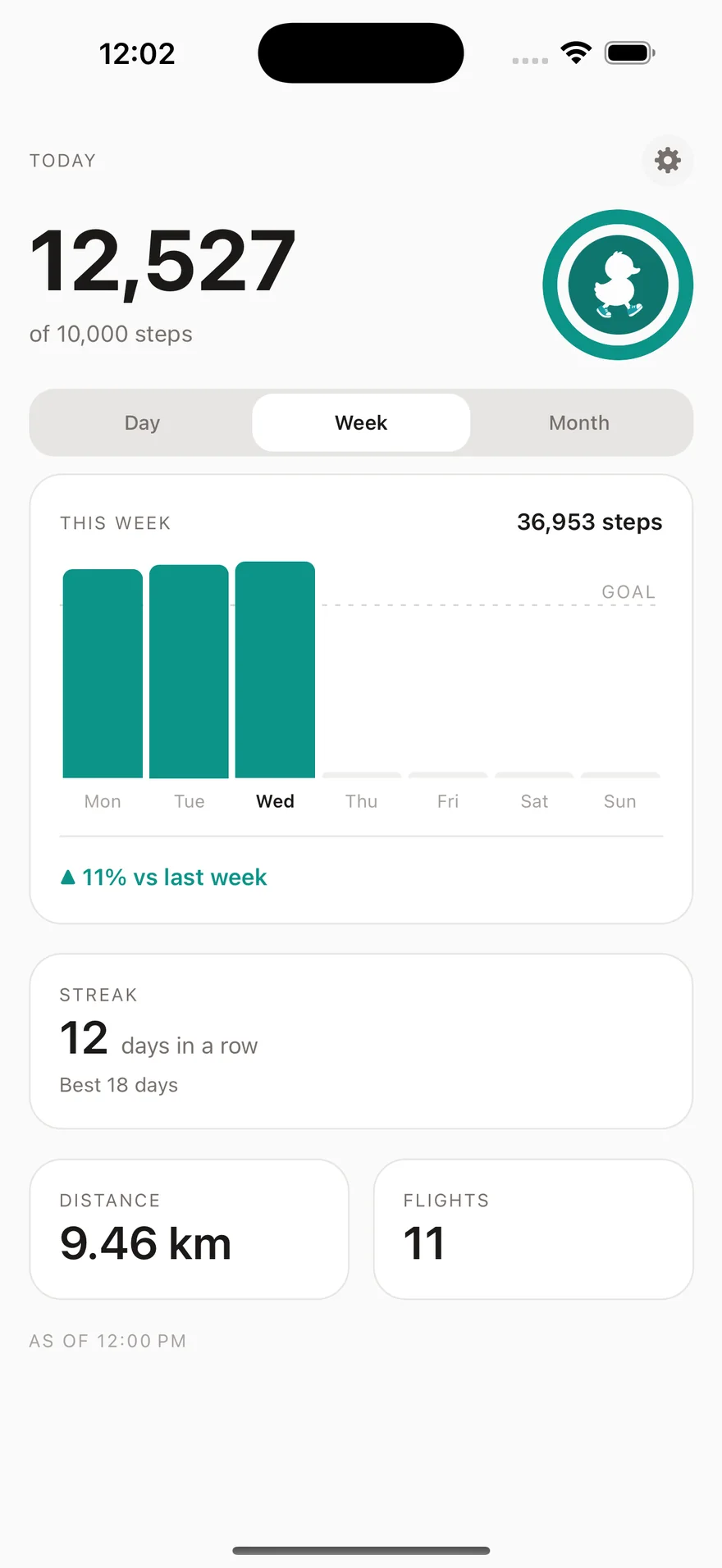
Big numbers, generous whitespace, and charts that explain themselves. Open Stepling and you know where you stand before your thumb reaches the screen.
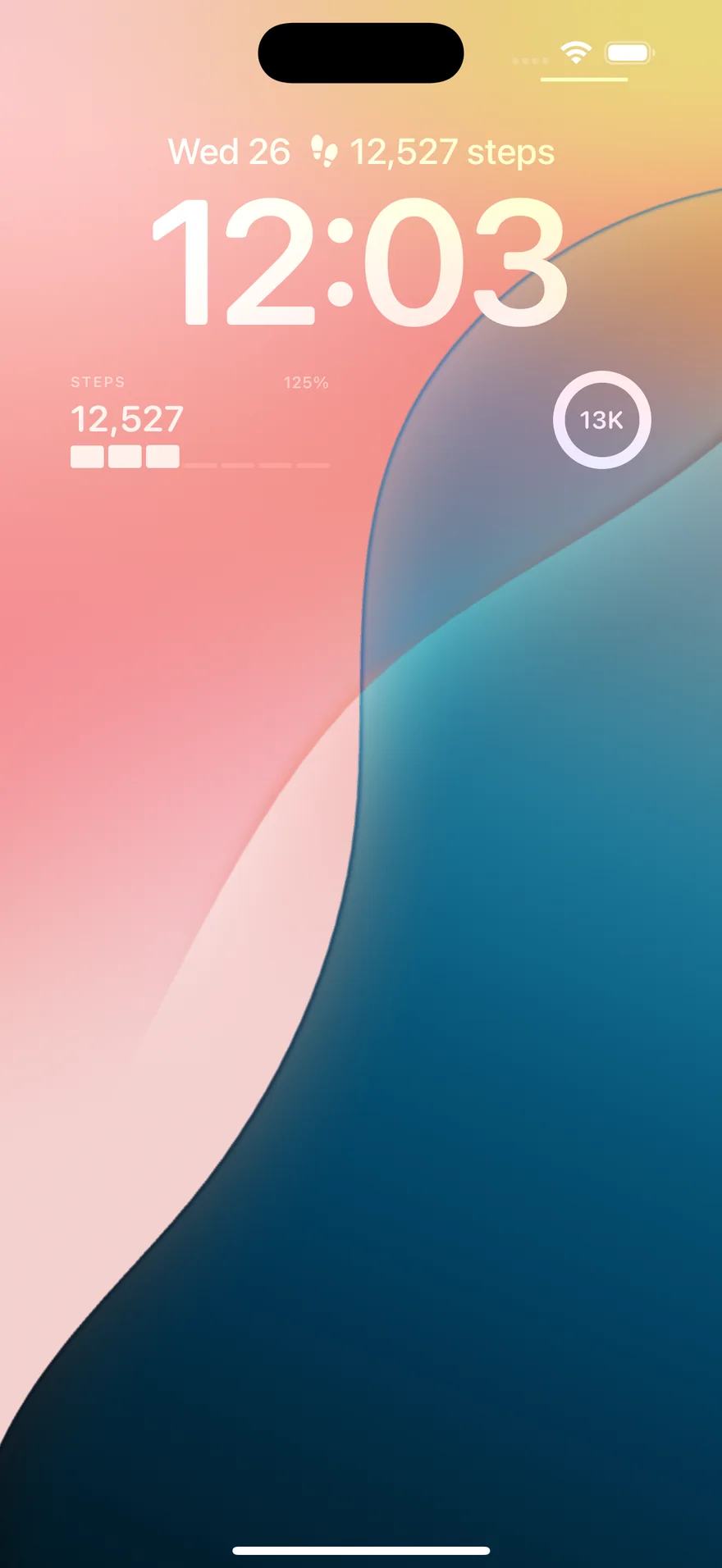
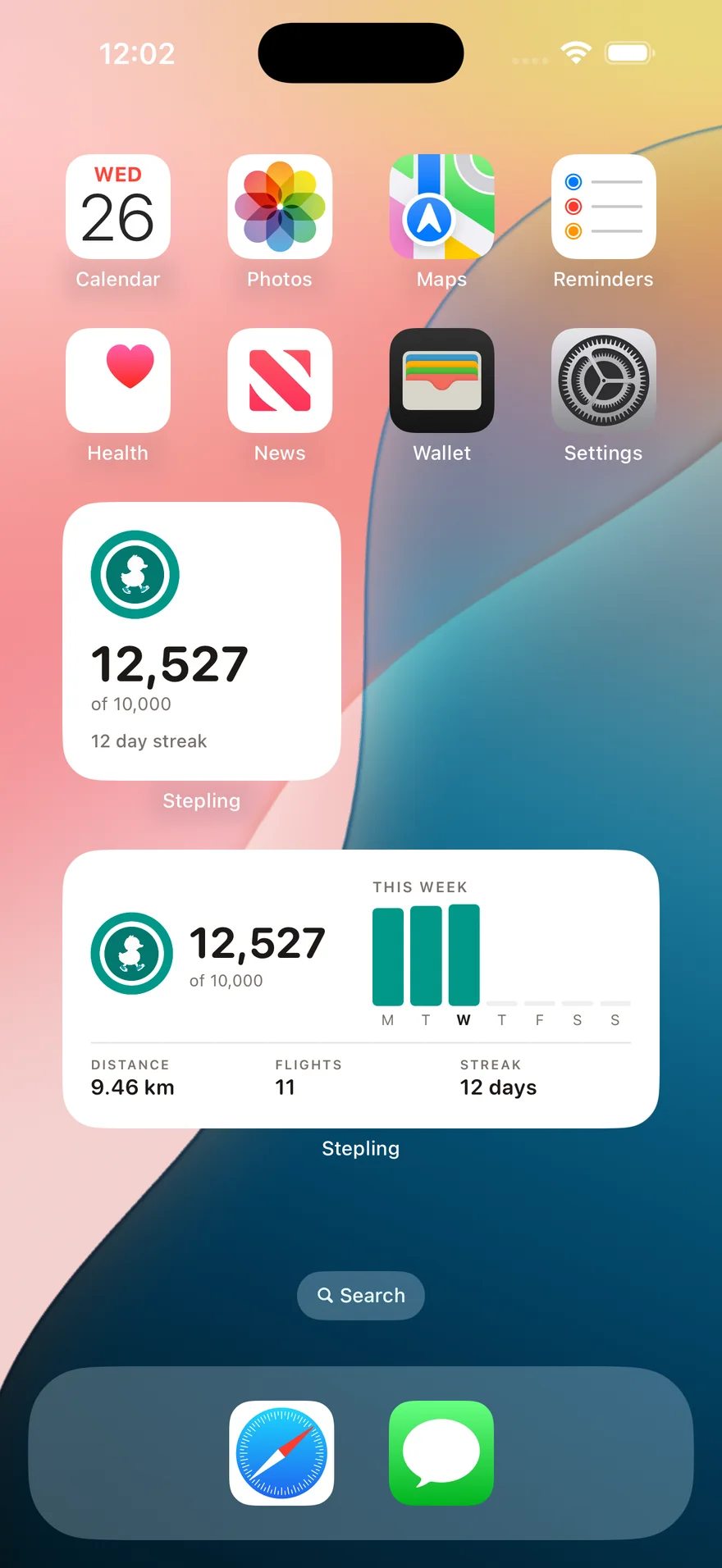
Numbers shown are examples.
Most step counters make you open an app to answer a one-second question. Stepling puts the answer where your eyes already go: four widget styles, on the Lock Screen and the Home Screen, in every size iOS offers.
Kept fresh, honestly. iOS decides how often any widget may redraw. Stepling writes a new snapshot every time you open or leave the app and on background wake-ups, and the Home Screen widgets read Apple Health directly whenever your phone is unlocked. The number you glance at is a recent one, and Stepling tells you when it was taken rather than pretending otherwise.
Stepling does one job. Every screen in it is there because it answers a question you actually asked.
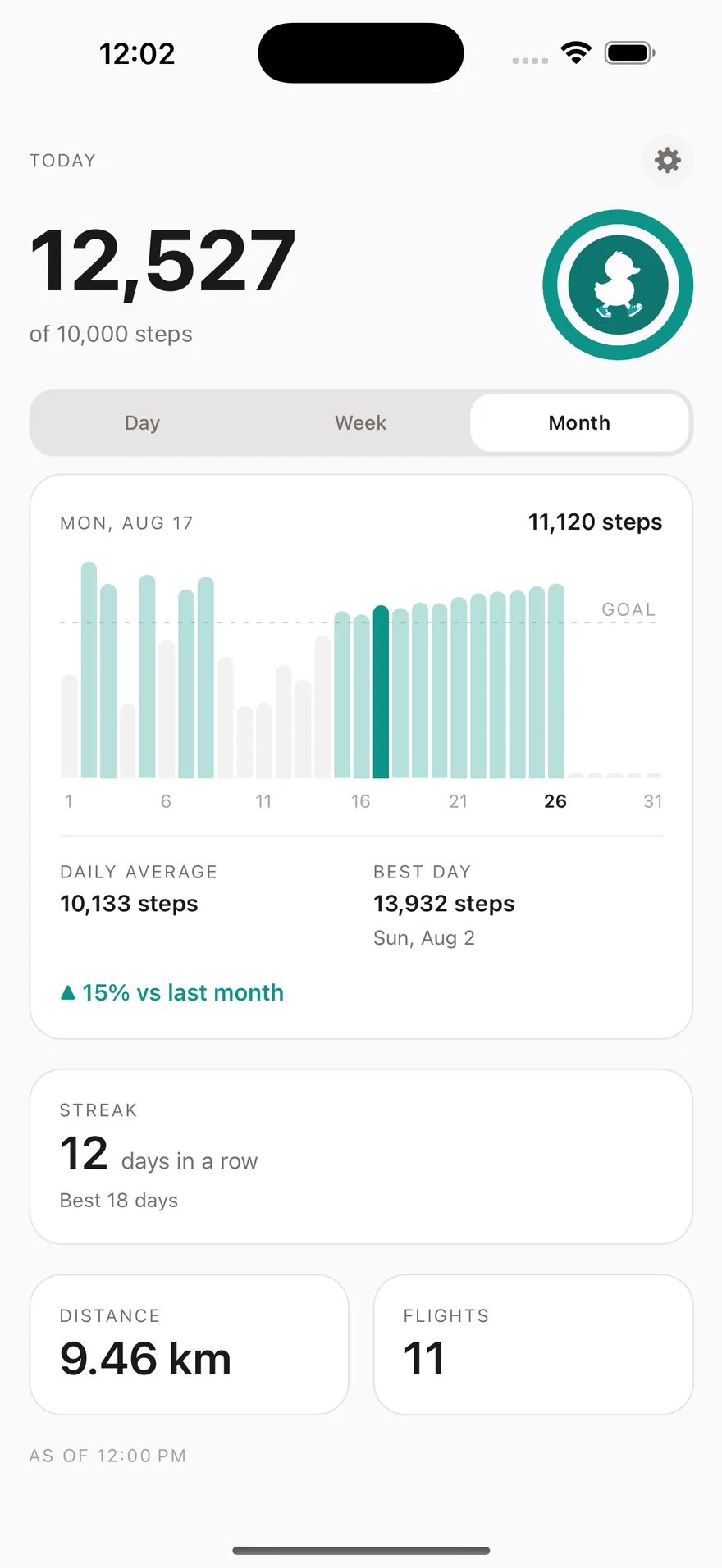
Seven rounded bars, no gridlines and no axis clutter: just a dashed goal line and the days you cleared it, in the accent colour. Tap a bar for that day's exact count, or drag back through earlier weeks.
“▲ 12% vs last week”, and it always says which week it means. A down week is drawn in muted amber, never in red, because a quieter week is information and not a failure.
Your run of days at goal, and your best run ever. Computed fresh from Apple Health every time, so a streak survives a reinstall and can never quietly drift out of true.
Two quiet tiles under the chart, in kilometres or miles. Also from Apple Health, also read-only, also going nowhere.
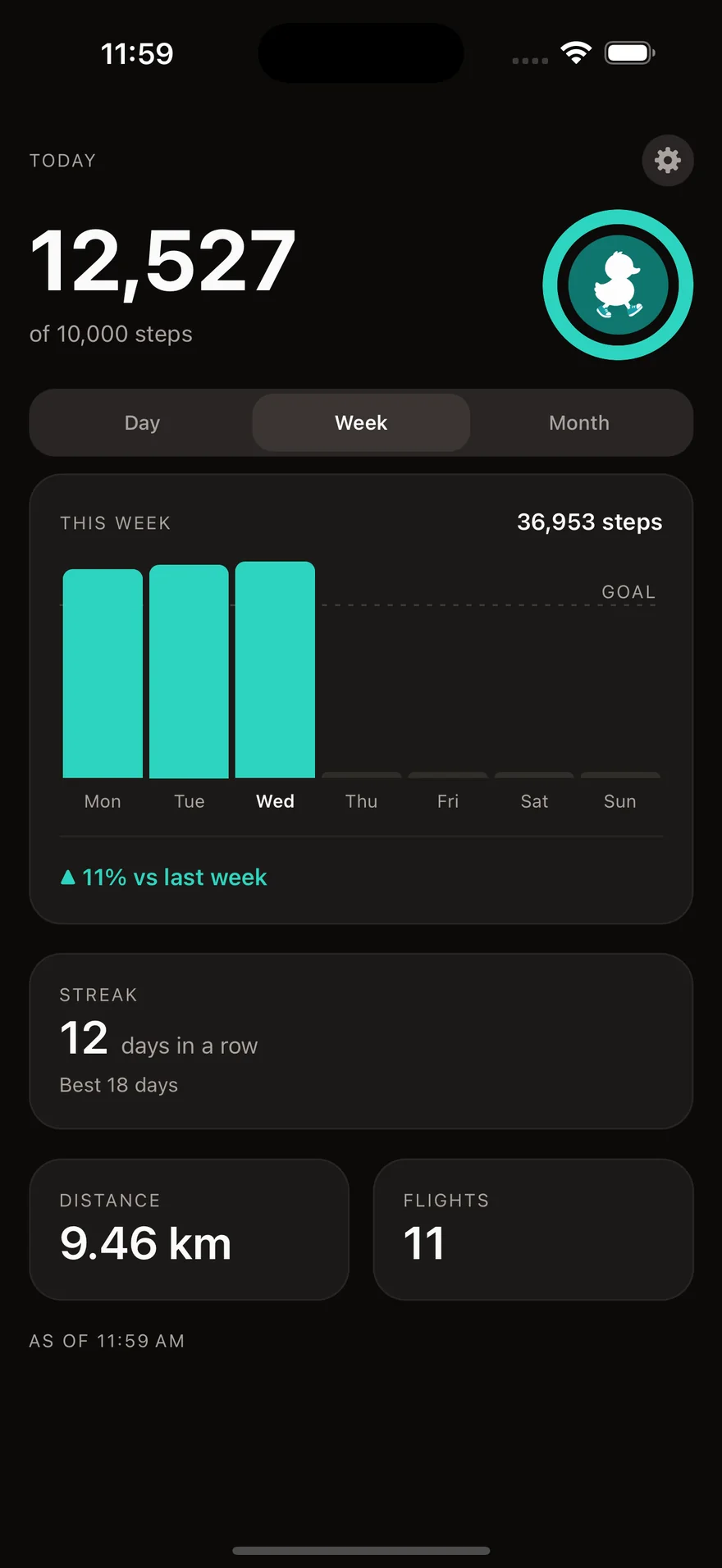
Stepling follows your iPhone. Neither mode is the afterthought: warm off-white by day, near-black (not pure black) at night.
Ten thousand by default, a preset if you want a rounder number, and any exact figure you like instead. 8,400 steps, if 8,400 is your number.
The chart's gestures have spoken equivalents: paging back a week is a rotor action, not a swipe you have to see. Every number is labelled the way it should be read aloud. A step counter that only works if you can see it perfectly is not finished.

Every other step tracker is a dashboard. Stepling is a small yellow duckling who laces up and goes for a walk with you: mid-stride, one foot forward, which is the whole idea of the app in one drawing.
You'll meet him when you first open the app, when he needs to peek at your steps, and when you clear your goal. He stays off the charts on purpose: the data screens belong to your numbers, not to a cartoon.
Three things, and only with your permission: step count, walking and running distance, and flights climbed. Stepling never writes to Apple Health and asks for nothing else. The numbers are used on your phone and sent nowhere.
No, and that is the whole point of Stepling. The Lock Screen and Home Screen widgets show today's count and how close you are to your goal at a glance. The app is the detail view for when you want the chart.
Recent rather than live. iOS decides how often any widget may redraw, and it is stingy about it. Stepling writes a fresh snapshot every time you open or leave the app and on background wake-ups, and the Home Screen widgets read Apple Health directly whenever your iPhone is unlocked.
Yes. Stepling is free to download and free to use, with no ads and no account. There is an optional one-time purchase inside the app, and it is never a subscription: Apple shows you the price before you confirm anything.
No. Your iPhone counts steps on its own with its motion sensor, and it does so whether or not Stepling is installed. If you do wear an Apple Watch, Apple Health merges both sources without double-counting, and Stepling reads that merged total, the same number the Health app shows you.
Neither. There is no ad network, no account and no server. Health data never leaves your phone. Anonymous usage analytics record which parts of the app get opened, never step counts, distances, streaks or goals. The privacy policy spells all of it out.
Stepling does not count steps itself. Your iPhone already does that continuously on a low-power motion chip, and has for years. Stepling simply reads the total that Apple Health has already recorded.
Not yet. Stepling is an iPhone app today. It is built behind a health-data interface that a Health Connect implementation can slot into later, so an Android version stays possible.
Free, ad-free, and on your Lock Screen in about a minute.
Requires an iPhone running iOS 16.4 or later, and Apple Health.